EDL (Emergency Download Mode)
EDL (Emergency DownLoad Mode) is a special boot mode in Qualcomm Android phones that allows for the force-flashing of firmware files. This special process is often used to unbrick the device (to get it to work again).
A bricked device is one that essentially does not work anymore.
Qualcomm devices come with an EDL or Emergency Download Mode. The device is able to make use of EDL’s set of rules to flash the stock firmware files onto your device.
If you are a digital forensic examiner who needs to bypass locks faster and physically extract data from popular Qualcomm-based Android devices, then understanding EDL is very important.
This mode works independently of Bootloader or Fastboot mode. This means that even if the phone can’t access these modes – as is the case with most hard-bricked devices – this is not a problem. The reason that EDL Mode is independent of the above-mentioned modes is because it sits in the Primary Bootloader interface.
The reason that EDL Mode is so important is that if you flash incorrect software or make system-level modifications in a way that you did not intend to do, it affects the device’s normal functioning.
If this happens, your phone enters a boot loop (or gets soft-bricked). How do you get around this? The easiest way is to boot the device to Fastboot or Download Mode. However, this does not always go as planned, and the device may not boot to either of these two modes. If this happens, then the devices are considered as being hard-bricked.
There are five ways of entering EDL Mode. These include using:
- ADB Commands
- Fastboot mode
- Hardware buttons
- Deep Flash Cable
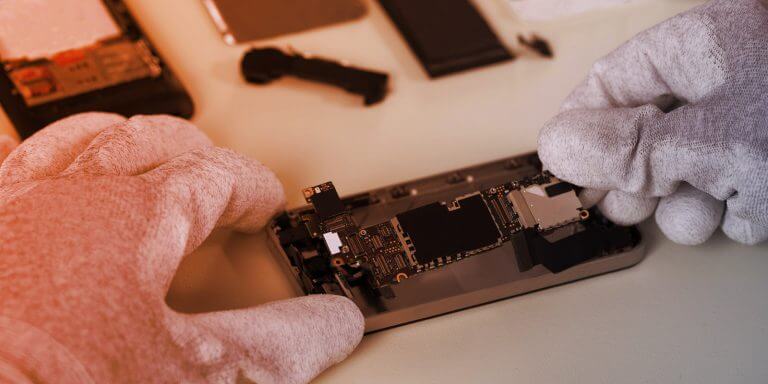
- PCB Test Points
EDL makes use of Qualcomm’s Sahara protocol (or the Firehose on modern devices) in order to accept commands from a personal computer via USB to flash the firmware on a device using tools such as QPST, QFIL, MSMDownload, etc.
The device identifies itself as “Qualcomm HS-USB QDLoader 9008” over a USB connection when it’s in this mode.